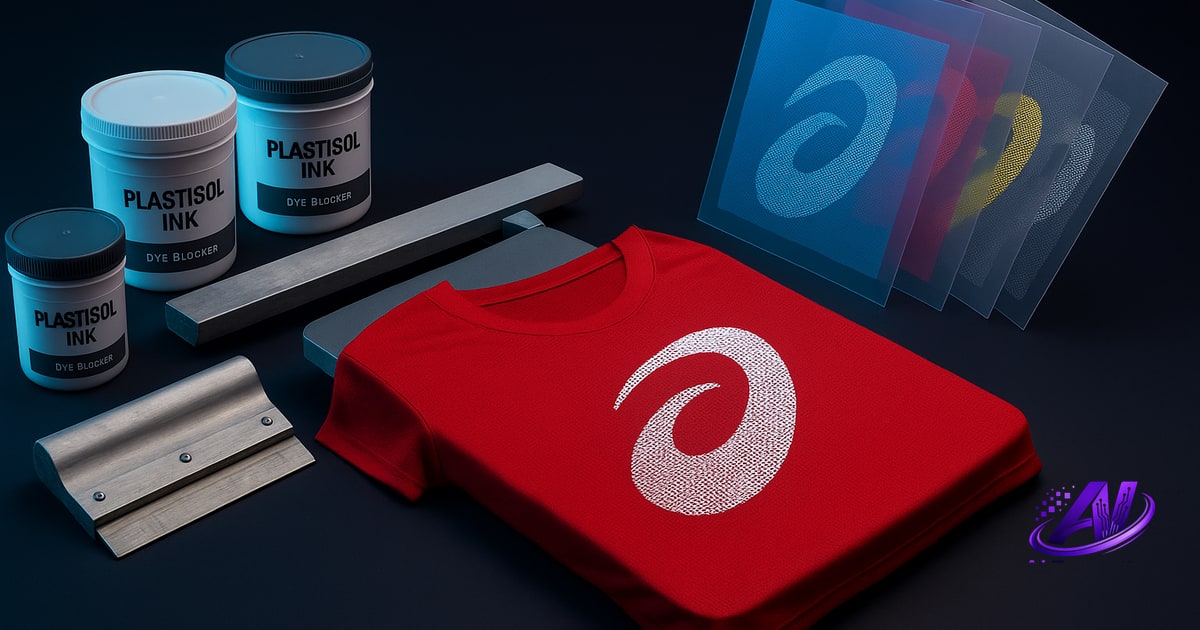
What Is Dye Migration and Why It Happens
Dye migration is when fabric dye—usually from polyester or brightly dyed cotton-poly blends—sublimates into your cured ink under heat. The symptom: a ghostly tint or full color bleed appears hours or days after the print looks perfect. Red polyester bleeds pink into white ink. Royal blue dyed tees bleed blue halos around your graphics. The ink isn't failing; the fabric dye is turning into a gas and re-depositing inside your plastisol.
This happens because polyester dyes and disperse dyes used on vibrant garments are designed to sublimate at relatively low temperatures—180–320 °F. Your dryer runs hotter than that. So does a heat press if you're applying transfers. Even a hot truck during shipping can trigger migration on borderline fabrics.
Cotton doesn't migrate because it uses reactive or vat dyes that don't sublimate. But the moment you print on 50/50 poly-cotton, 100 % polyester performance wear, or a deep-dyed fashion blank, you're in migration territory. The brighter and cheaper the blank, the higher the risk.
How to Separate Colors in a Dye (What the Search Really Means)
When someone Googles how to separate colors in a dye, they're not asking about chemistry—they're asking how to color-separate a design so it prints cleanly on a dyed or polyester garment without the fabric color bleeding through. The answer is part separation strategy, part ink choice.
First: if the garment is dark or heavily dyed, treat it like any dark substrate. Use an opaque white underbase or print with high-opacity spot colors that don't rely on the shirt color showing through. Simulated process on a vibrant dyed tee will look muddy because your halftones sit on a colored base, not white. Spot color or simulated-process-over-underbase is safer.
Second: flag the garment type during print readiness check. If the order specifies polyester or a deep-dye fashion blank, note it in your production sheet so your press operator loads low-bleed inks and watches cure temps. A file that's perfectly separated for a white Gildan 5000 can fail spectacularly on a red Augusta polyester jersey.
Third: if you're separating to inks you already stock, make sure your system knows which whites and bases are dye-blocking. AI Separations' ink-inventory matching lets you tag low-bleed formulas so the separation engine picks them automatically when the design or garment flags migration risk.
How to Stop Dye Migration on Polyester
The most reliable fix is a dye-blocking underbase—typically a low-bleed polyester white or a gray blocker ink. These formulas contain additives that resist dye sublimation. You print the blocker first, flash-cure it, then print your color layers on top. The blocker seals the fabric dye below so it can't migrate into your top colors.
Wilflex Epic Low Bleed, Rutland M3 Millennium Blocker, and similar products are industry standards. They cost more per gallon than regular plastisol white, but they're essential for polyester, moisture-wicking jerseys, and deep-dyed fashion blanks. If you don't stock a blocker, you will get callbacks on polyester orders.
Ink choice matters for top colors, too. Avoid dark plastisol (navy, black, dark red) directly on bright polyester—the contrast makes even faint migration visible. If the design requires dark ink on red poly, use a gray blocker underbase or switch to water-base discharge (though discharge won't work on 100 % synthetic). For light-colored prints on dark polyester, a single hit of low-bleed white often suffices.
Cure temperature is a balancing act. Undercure and the ink fails wash tests; overcure and you drive more dye into the ink. Follow your ink manufacturer's cure spec—usually 320 °F for plastisol—and use the coolest dryer setting that still hits full cure. Quartz flash units and forced-air ovens help you cure without excess dwell time.
Separation Strategy: Spot vs Simulated Process on Dyed Blanks
Simulated process works beautifully on white or natural garments because you're building color optically with halftone dots over a reflective base. On a dyed garment, that base is colored, so your halftones pick up the shirt hue. A design separated for white will look dull, shifted, or unrecognizable on royal blue.
For dyed darks, spot color or index separations are safer. Print solid hits of opaque ink; each color is a distinct screen with no halftone overlap. You lose photorealistic gradients, but you gain predictability and lower screen counts. If the design absolutely requires sim-process fidelity, print a full white underbase first—then separate the art as if it's on white, because effectively it is.
Highlight white (printing white ink only where the design needs brightness—logos, text, fine detail) is another option. It reduces underbase area, saves ink, and keeps the shirt's texture visible. Just make sure your separation engine accounts for the dyed background when calculating opacity. A highlight white that works on heather gray will be too thin on burgundy.
AI Separations' Profit Mode includes a fewest screens strategy that automatically consolidates colors and favors spot separations over complex sim-process when the garment type or ink inventory suggests migration risk. It won't eliminate the need for a blocker, but it will keep your screen count—and your press time—under control.
Testing and Quality Control for Migration-Prone Orders
No amount of separation skill will save you if the blank itself is a dye bomb. Always test a sample garment before running 144 pieces. Print your separation on one shirt, cure it properly, then hit it with heat again—either a 30-second heat-press cycle at 350 °F or a second pass through the dryer. If dye is going to migrate, this accelerated test will show it within minutes instead of days.
Check the print immediately after the second heat cycle and again after it cools. Look for color shift, halos, or a faint tint in white areas. If you see migration, you have three options: switch to a low-bleed ink system, add or upgrade your blocker underbase, or (if the blank is truly unsalvageable) refuse the garments and source a better substrate.
Document your findings. If a customer insists on a specific polyester blank despite your warnings, get sign-off in writing that they understand migration risk. Then print a test, photograph it, and include the photo with the quote. That paper trail protects you when the client calls two weeks later asking why their red jerseys have pink ghosts.
For repeat customers ordering polyester or dyed blanks, keep notes on which inks and separation strategies worked. Tag those jobs in your quoting system so you can replicate success (or avoid past failures) without re-inventing the process every time.
AI Separations: Flagging Migration Risk and Matching Low-Bleed Inks
AI Separations' Print Doctor automatically flags substrate and ink-compatibility risks during file review. When you load a design and specify the garment type—polyester performance, 50/50 blend, or dyed dark—the engine checks for conditions that invite migration: fine halftones on synthetic, dark plastisol on bright poly, missing underbase on colored fabric.
The ink inventory tool lets you label which whites and bases are low-bleed or dye-blocking. When you separate a design, the app will prioritize those inks if the job is flagged for polyester or dyed blanks. You're not hunting through your stock list mid-production; the separation is already built around the inks that won't migrate.
Profit Mode's best quality strategy will add a blocker underbase or upgrade to low-bleed white when the design and garment combination demands it. The cheapest strategy will warn you if skipping the blocker saves money but risks callbacks. Either way, you see the trade-off in the quote before you commit to the job.
Because AI Separations is a standalone Windows app—no Photoshop, no subscription—your entire prepress and quoting workflow lives in one place. You check the file for migration risk, separate to your low-bleed inks, generate a quote with the correct setup and ink costs, and export print-ready films, all in under five minutes. Try it free at aiseparations.com. Unlock the full studio for $179 one-time.
Frequently asked questions
How to separate colors in a dye?
To separate colors in a dye (meaning to color-separate artwork for printing on dyed garments), use opaque spot colors or a white underbase so the fabric's dye color doesn't show through your ink, choose low-bleed inks to prevent the garment dye from migrating into your print, and avoid simulated-process halftones that rely on the shirt color as a base.
How do you stop dye migration on polyester?
Stop dye migration on polyester by printing a dye-blocking underbase (low-bleed white or gray blocker ink) before your top colors, using low-bleed plastisol formulas for all ink layers, curing at the manufacturer's recommended temperature without overheating, and testing each batch with a second heat cycle before production.
Can you screen print on 100% polyester without migration?
Yes, you can screen print on 100% polyester without migration by using a low-bleed or dye-blocking white underbase, printing with polyester-safe plastisol inks, and curing at the correct temperature—but you must test every blank because dye quality varies widely by manufacturer.
What is a dye blocker ink and when do you need it?
A dye blocker ink is a specialty plastisol underbase (usually white or gray) formulated with additives that prevent fabric dye from sublimating into your print; you need it any time you print on polyester, poly-blends, or brightly dyed fashion blanks where heat could cause the garment dye to migrate.
Does simulated process work on dyed or colored garments?
Simulated process does not work well on dyed or colored garments unless you first print a full opaque white underbase, because sim-process halftones rely on a white or light background to build color optically—on a colored shirt, the background shifts every halftone and ruins color accuracy.
Try it on your own artwork
AI Separations is a standalone prepress & quoting studio for screen printing & DTF — AI color separation, an instant quote, a print-readiness check, and ink matching. No Photoshop, $179 one-time, free trial.