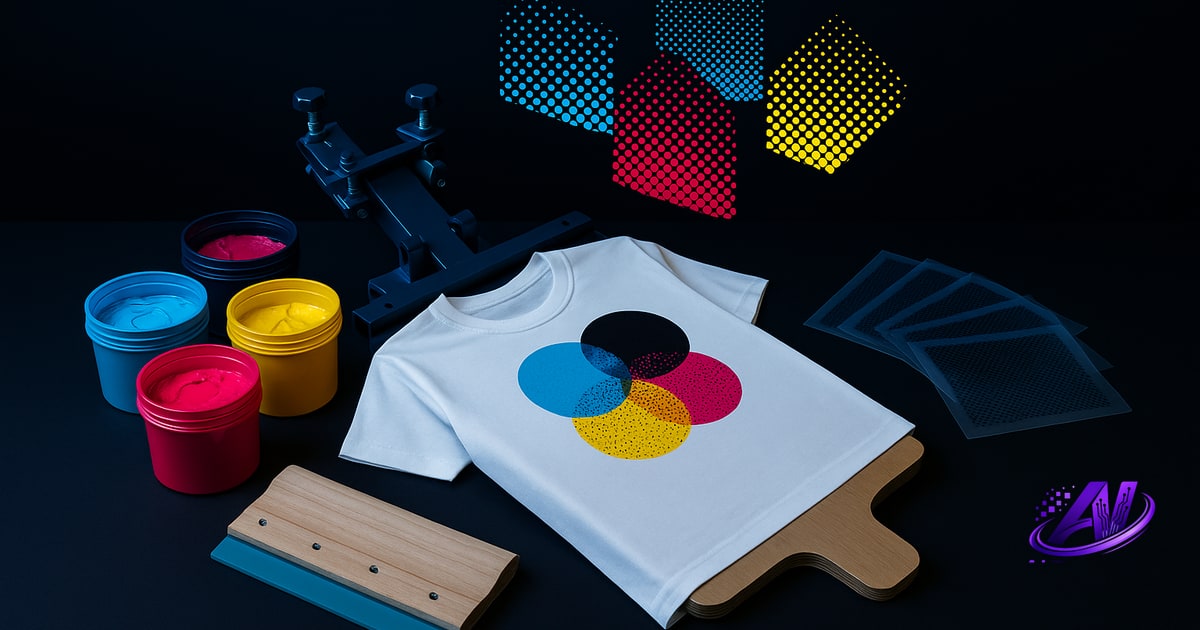
Color Separation Definition
Color separation is the process of breaking down a full-color design into individual color layers—one for each ink you'll print. Each layer becomes a separate film positive or screen, so you can print one color at a time on a substrate (garment, poster, or DTF film) and build the final image through registration.
In screen printing and DTF prepress, color separation is not optional. You can't print a rainbow gradient or a photographic design without first deciding which inks to use, in what order, and how each ink's halftone dots or solid shapes will overlap to reproduce the original colors.
The term applies to two main techniques: spot-color separation (solid Pantone or custom inks, each on its own screen) and simulated-process separation (CMYK-style halftone layers that mix optically to recreate photos and complex artwork on dark garments). Both require the same core skill—isolating every color channel so it can be burned to a screen and printed in sequence.
What Does Color Separation Do?
Color separation transforms a single flattened image (JPEG, PNG, PSD) into a set of print-ready layers. Each layer tells you:
- Which ink to load (white underbase, cyan halftone, Pantone 186 red, etc.)
- Where to print it (the transparent areas block ink; the image areas let it through)
- What mesh count and halftone LPI to use
- The print order and any flash-cure steps between layers
Without separation, your artwork is just pixels. With it, you have a production recipe: screen one prints the underbase, screen two adds the highlight white, screen three lays down cyan at 55 LPI, and so on. The result is a printed image that matches—or improves on—the original design, within the constraints of ink opacity, dot gain, and substrate color.
Good separation also manages trapping (slight overlaps that prevent gaps when screens shift), choking (shrinking an underbase so it doesn't peek out), and color sequence (dark inks before light, or underbase-flash-top colors). These details determine whether your print looks crisp or muddy, whether colors pop or wash out, and whether you can hit your customer's deadline without reprinting.
Spot-Color vs Simulated-Process Separation
Spot-color separation assigns one solid ink to each distinct hue in the design. A three-color logo might separate into red, black, and white layers—three screens, three Pantone or Wilflex inks, no halftones. Spot separations are fast to print, easy to match to brand standards, and work beautifully on light or dark garments when you add a white underbase under transparent inks.
Simulated-process separation breaks a photo or gradient-heavy design into four to seven halftone channels (often white underbase + CMYK or custom ink sets). Each ink prints tiny dots at varying densities; your eye blends them into smooth tones and thousands of perceived colors. Simulated process is the only way to print full-color photographs on dark shirts without spending a fortune on DTG setup or inventory.
Many jobs blend both methods: solid spot colors for logos and type, simulated halftones for a background photo. The separator decides which approach fits the art, the garment color, and the shop's capabilities. AI color separation software can analyze an image and recommend—or generate—the optimal method automatically.
How Color Separation Fits Into Your Workflow
In a typical screen-print or DTF shop, color separation happens after you receive final artwork and before you burn screens or print films. The steps look like this:
- Customer approves the design (or you fix low-res files, remove backgrounds, clean up edges).
- You separate the artwork into color layers—manually in Photoshop, with a plug-in, or in standalone software.
- You print each layer to film (inkjet positive) or send it to a DTS system.
- You burn screens, register them on press, and run the job.
Separation is where you catch problems: an image too small to hold detail at 55 LPI, a gradient that will band, a design with eighteen colors that should be six, or a white underbase that needs choking to avoid halos. Fixing these issues at the separation stage saves screens, ink, and press time.
AI Separations includes a Print Doctor check that flags low resolution, excessive colors, banding risk, DTF gel-residue traps, and underbase requirements before you commit to films. You see warnings in plain English ("This gradient may band at 55 LPI—consider 65 LPI or convert to spot colors") and fix them in the same app, no Photoshop required.
Manual Separation vs AI Separation
Manual separation in Photoshop means selecting colors by hand (magic wand, color range, channels), creating alpha masks, adjusting curves for each ink, setting halftone angles to avoid moiré, generating chokes and spreads, and exporting each layer as a separate file. It works, and many high-end shops still do it for complex art—but it takes skill and time. A six-color simulated-process separation can eat an hour or more if you're dialing in dot gain and trapping by eye.
AI separation automates the heavy lifting: the software analyzes the design, picks the ink set (or uses your custom inventory), builds underbase and highlight-white layers, assigns halftone screens and angles, applies trapping, and exports print-ready files in seconds. You still review and tweak if needed, but the grunt work is done.
AI Separations goes further with Profit Mode: it can re-separate the same design for cheapest (fewest inks), fastest (fewest screens), best quality (more colors, finer halftones), or premium (max detail and inks). You compare the options side by side, see the cost and press-time difference, and pick the strategy that fits the customer's budget and your margin. No Photoshop subscription, no plug-in licensing—$179 one-time for the full app.
Why Color Separation Quality Matters
Bad separations print badly. Underbase that's too large leaves white halos. Underbase that's too small lets the garment color dull your top inks. Halftone angles that clash create moiré patterns. Gradients without enough colors band into stripes. Fine details smaller than your mesh can hold disappear or turn into blobs.
Good separation respects the physics of screen printing: ink opacity, dot gain on fabric, mesh counts, and the way wet-on-wet inks mix or trap. It also respects your shop's constraints—if you stock six Wilflex mixing-system inks, a separator that calls for Pantone 382 and a custom blue wastes your time. AI Separations lets you match separations to your actual ink inventory (Wilflex, FN-INK, or custom mixes), so every job uses what you already have on the shelf.
Quality separation also means faster quoting. When you know exactly how many screens, flashes, and press strokes a job requires, you can price it accurately and consistently. The built-in Instant Quote generator in AI Separations calculates screens, setup, press time, ink cost, and suggested retail, then outputs a customer-facing quote with your profit margin baked in. You spend less time guessing and more time printing.
Frequently asked questions
What does "color separation" mean?
Color separation means breaking a multi-color design into individual layers—one for each ink color—so each can be printed separately on its own screen or film positive and combined on press to reproduce the original image.
What does color separation do?
Color separation converts a single flattened design into a set of print-ready layers that specify which ink to use, where to print it, what halftone settings to apply, and the correct print order and trapping to ensure a high-quality final print.
Do I need Photoshop to do color separations?
No. While many printers use Photoshop or plug-ins, standalone tools like AI Separations perform full AI color separation, underbase generation, trapping, and film export without any Adobe subscription—$179 one-time.
What's the difference between spot and simulated process separation?
Spot-color separation uses solid Pantone or custom inks (one screen per color, no halftones), while simulated-process separation layers halftone screens (usually CMYK or custom channels) to reproduce photos and gradients on dark garments.
How many colors should a screen-print separation have?
Spot jobs typically use one to four colors; simulated-process prints range from four to seven (white underbase plus CMYK or custom set). Fewer colors save screens and press time; more colors deliver smoother tones and detail.
Try it on your own artwork
AI Separations is a standalone prepress & quoting studio for screen printing & DTF — AI color separation, an instant quote, a print-readiness check, and ink matching. No Photoshop, $179 one-time, free trial.