What Makes Good Color Separation Software?
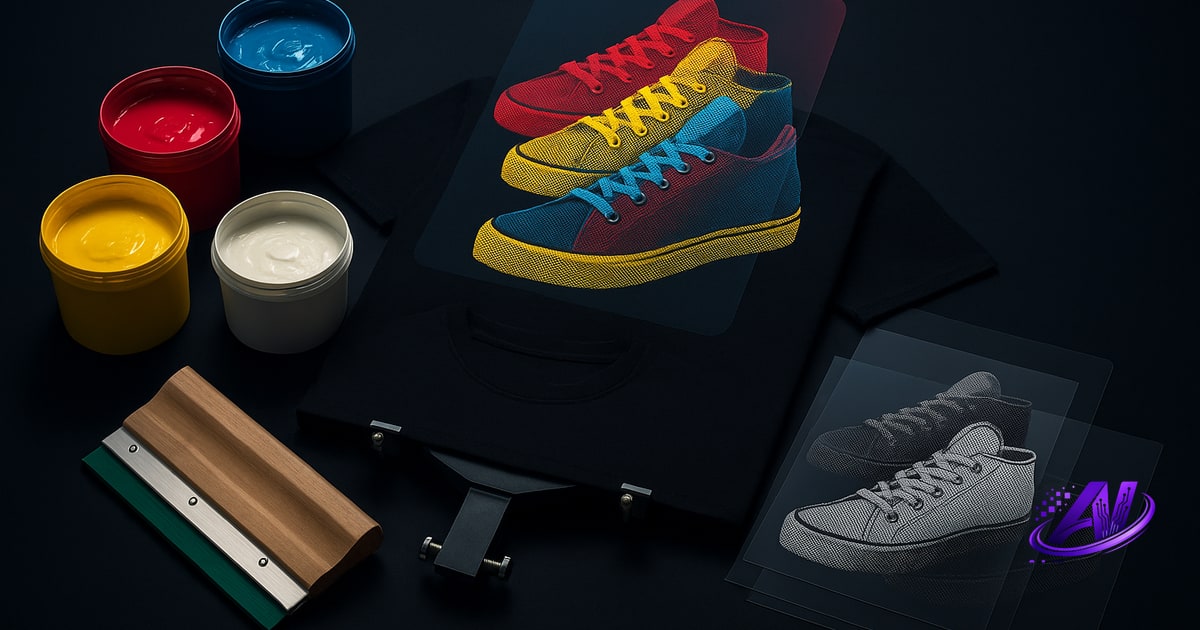
Good separation software solves one problem: turning full-color artwork into print-ready film positives—one channel per ink color. The quality bar is high. Your software needs to handle simulated process (CMYK + white underbase + highlight white), spot color separations with accurate color matching, halftone screening at the right LPI for your mesh count, and proper choke and trap to avoid registration gaps on press.
Manual separation in Photoshop is still the gold standard for control, but it's slow. A six-color simulated-process job can take 30 minutes or more if you're building channels, tweaking curves, and placing underbase by hand. Plugins and standalone tools automate parts of that workflow. The best ones give you both speed and control—automated first pass, manual override when you need it.
Look for software that outputs at 300 DPI minimum, supports your RIP or film printer, and handles the ink systems you actually stock. If you run DTF, you'll also want a tool that flags gel-residue risk and fine-detail loss before you print.
Photoshop Plugins for Screen Print Separations
Most shops start with Photoshop because it's the industry standard for design and prepress. Separation plugins extend Photoshop with automated halftone generation, underbase placement, and simulated-process color builds. You stay inside a familiar interface, and you keep full layer control when the plugin is done.
The downside: you need an Adobe Creative Cloud subscription ($54.99/month as of 2025), and plugins themselves often cost $200–$700 upfront or per year. You're also responsible for setting halftone angles, dot shapes, and LPI—mistakes here mean moiré or dot gain on press. Plugins speed up the grunt work, but they assume you already know prepress.
If your shop is already paying for Photoshop and you separate dozens of jobs a week, a plugin can pay for itself in labor savings. If you're a smaller shop or just starting out, the combined subscription and plugin cost adds up fast.
Standalone Color Separation Software
Standalone separation apps don't require Photoshop. You upload artwork, choose your output (simulated process, spot color, white underbase), and export film-ready PDFs or TIFFs. These tools handle halftone screening, trapping, and color channel building automatically. Some—like AI color separation software—use machine learning to decide underbase coverage, ink order, and halftone density based on the design.
The biggest advantage is cost and simplicity. A one-time purchase (typically $179–$400) replaces both the Adobe subscription and a plugin license. Standalone tools are also faster for high-volume work: drag in a file, pick a profile, export. No layer management, no manual masking.
Trade-offs? Less pixel-level control than Photoshop. If you need to hand-edit a gradient or rebuild a color channel from scratch, you'll still want Photoshop in your toolkit. But for 90% of jobs—logos, vector art, photorealistic simulated process—standalone software is faster and cheaper.
Free and Low-Cost Separation Options
Free color separation software exists, but it's limited. GIMP (the free Photoshop alternative) supports the Separate+ plugin, which can split an image into CMYK channels. You'll need to manually add underbase, set halftone screens in your RIP, and handle trapping yourself. It works for simple spot-color jobs, but simulated process is a slog.
Photoshop's free trial (7 days) lets you test manual separation workflows or demo paid plugins, but it's not a long-term solution. Some shops use Inkscape or CorelDRAW for vector spot separations—both are cheaper than Adobe—but neither automates halftones or underbase.
If you're separating one or two jobs a month, the free route is viable. Once you hit higher volume, the time cost of manual work outweighs the software savings. A $179 one-time tool that cuts a 20-minute job to 2 minutes pays for itself in a week.
AI-Powered Separation: Speed Meets Print-Readiness
AI color separation software automates the entire prepress workflow. Upload your design, and the AI analyzes it for color count, detail density, and fabric type. It generates simulated-process or spot-color separations with proper underbase, halftone angles, and trapping—no manual channel work. Tools like AI Separations also include a Print Doctor that flags low resolution, banding, too many colors, and DTF glue-residue risk before you print.
AI tools shine in three areas: speed (under 2 minutes per job), consistency (same separation quality every time), and accessibility (no prepress training required). They also offer ink-inventory matching—separate a design using only the Wilflex or FN-INK colors you have on the shelf—and Profit Mode strategies that re-separate for fewest screens, fastest press time, or highest quality.
Because AI Separations is a standalone Windows app, there's no Adobe subscription and no monthly fee. $179 one-time unlocks everything: simulated process, spot color, white underbase, highlight white, and a screen print quote calculator for instant job costing. It's built for shops that want to cut prepress time without hiring a dedicated separator.
Which Software Is Right for Your Shop?
If you already have Photoshop and you separate complex, high-end jobs that need pixel-perfect control, a plugin is the natural fit. If you're a small to mid-size shop that wants to eliminate the Adobe subscription and automate 90% of separation work, a standalone tool—especially an AI-powered one—will save you time and money.
For DTF shops, look for software with DTF-specific checks: gel adhesive coverage, fine-detail loss, and gang-sheet layout. For screen printers running multiple presses, prioritize tools that support custom ink libraries and offer separation strategies for different profit goals.
Most paid tools offer free trials. Test them with real jobs: a photorealistic simulated process, a spot-color logo, and a gradient-heavy design. Check the output quality, halftone clarity, and whether the underbase holds registration. The best software is the one that handles your work, not theoretical benchmarks.
Ready to skip the monthly fees and automate your prepress? Download a free trial of AI Separations at aiseparations.com—a standalone app with AI color separation, Print Doctor file checks, and instant quoting. No Photoshop required. $179 one-time to unlock.
Frequently asked questions
What is the best color separation software for screen printing?
The best color separation software depends on your workflow and budget: Photoshop plugins offer maximum control but require an Adobe subscription, while standalone tools like AI Separations automate simulated-process and spot separations without monthly fees—ideal for shops that want speed and print-ready accuracy in one $179 one-time purchase.
Is there free color separation software?
Yes—GIMP with the Separate+ plugin can split images into CMYK channels for free, and Photoshop offers a 7-day trial, but free tools require manual underbase placement, halftone setup, and trapping, making them practical only for simple spot-color jobs or very low-volume work.
Do I need Photoshop to do color separations?
No—standalone separation software like AI Separations handles simulated process, spot color, underbase, and halftone screening without requiring Photoshop or an Adobe subscription, making prepress faster and cheaper for most screen print and DTF shops.
How long does it take to separate a design for screen printing?
Manual separation in Photoshop can take 20–40 minutes per job for simulated process work, while AI-powered standalone tools complete the same separation in under 2 minutes with automated underbase, halftones, and trapping.
Can separation software match my existing ink inventory?
Yes—advanced tools like AI Separations let you separate designs using only the inks you stock (Wilflex, FN-INK, or custom colors), eliminating the need to order new inks or manually remix Pantone matches for every job.
Try it on your own artwork
AI Separations is a standalone prepress & quoting studio for screen printing & DTF — AI color separation, an instant quote, a print-readiness check, and ink matching. No Photoshop, $179 one-time, free trial.